
Course overview - All training cycles
Overview of all training cycles created by you
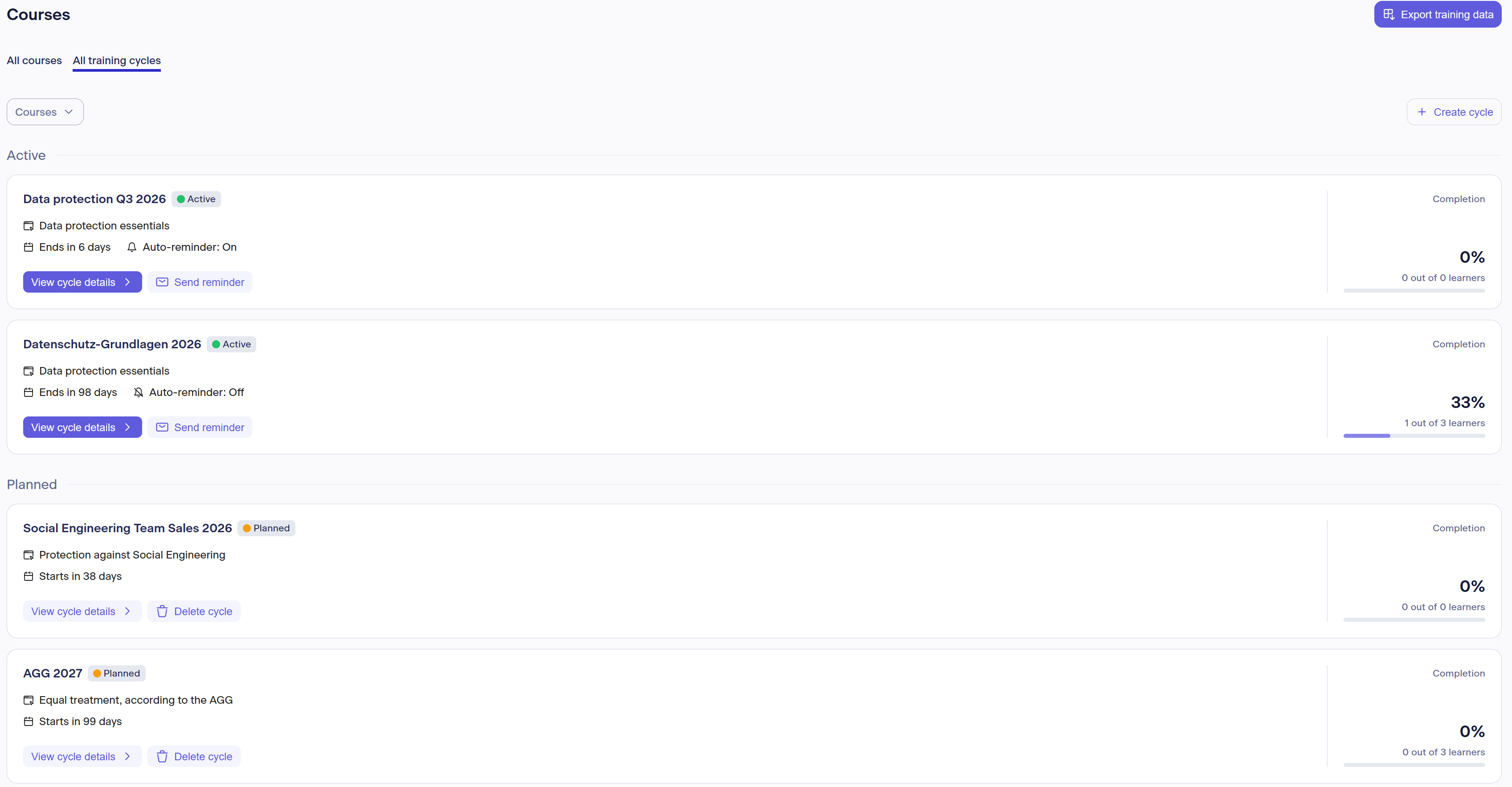
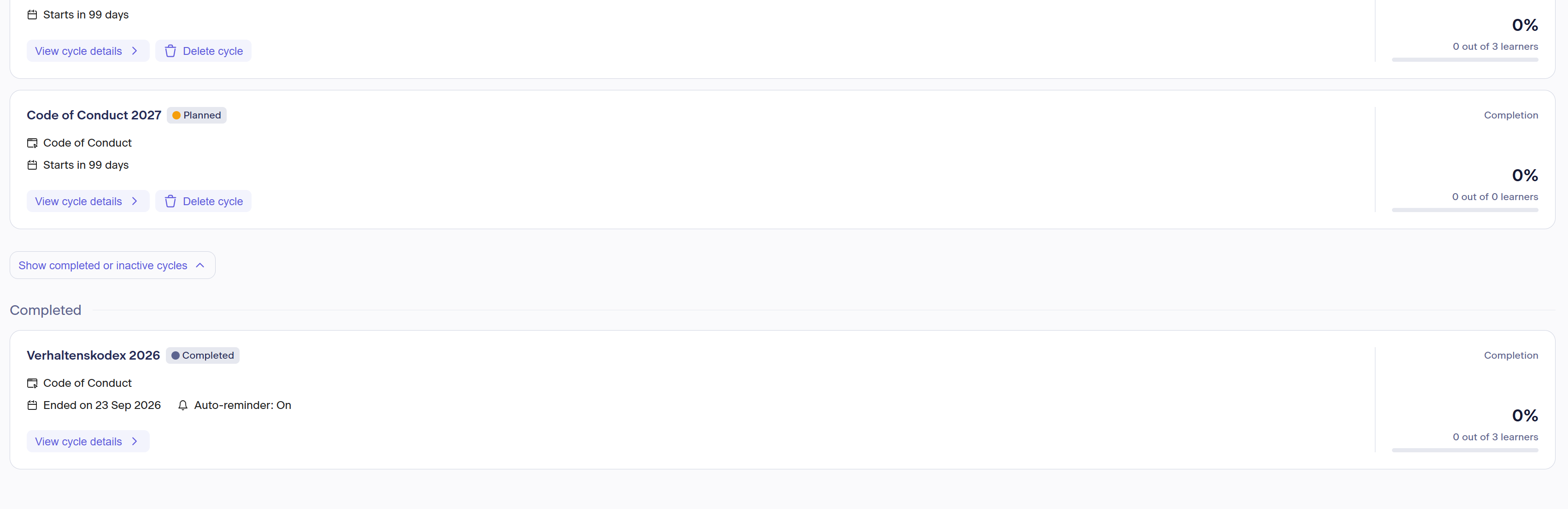
Note: To view your completed and inactive training cycles, you must expand the corresponding section below once.
Here you will find a list of all training cycles for all courses you are currently subscribed to or have subscribed to in the past. These follow their respective status in the display logic:
- Active: All cycles in which training is currently taking place or can take place
- Planned: Cycles that will start in the future
- Completed: Cycles that were conducted in the past and have already finished
- Inactive: Past cycles that are no longer associated with an active subscription
At the top left, you have the option to select which courses you would like to display your training cycles for in this overview, in order to make the display clearer. Selecting multiple courses is possible here.
You also have the option at the top right to export all training data as a CSV updated daily, and to create new training cycles. Instructions for creating a new training cycle can be found here: Guide to setting up a training
Each tile of a training cycle contains:
- The name you assigned to this training cycle
- The status
- The lawpilots course title
- The end date or start date
- For active trainings: whether automatic reminders are turned on or off
- The completion rate (calculated based on participants enrolled in the cycle)
- Option to view further details
- Option to send a manual reminder for active training cycles (maximum 1 time per hour per cycle)
- For planned training cycles: the option to delete them completely
Information on the detailed view of a training cycle can be found here: Course Overview - All Courses <-- insert link when live