
Course overview - All courses
Overview of all booked courses
Under the "All courses" tab, you will see an overview of all the courses you have booked. In the example view, you can see all active, currently usable courses. If you have used additional courses in the past that are no longer part of your current subscription, these will always be displayed separately as "inactive courses," and you can continue to view and download course reports and certificates for these courses there.
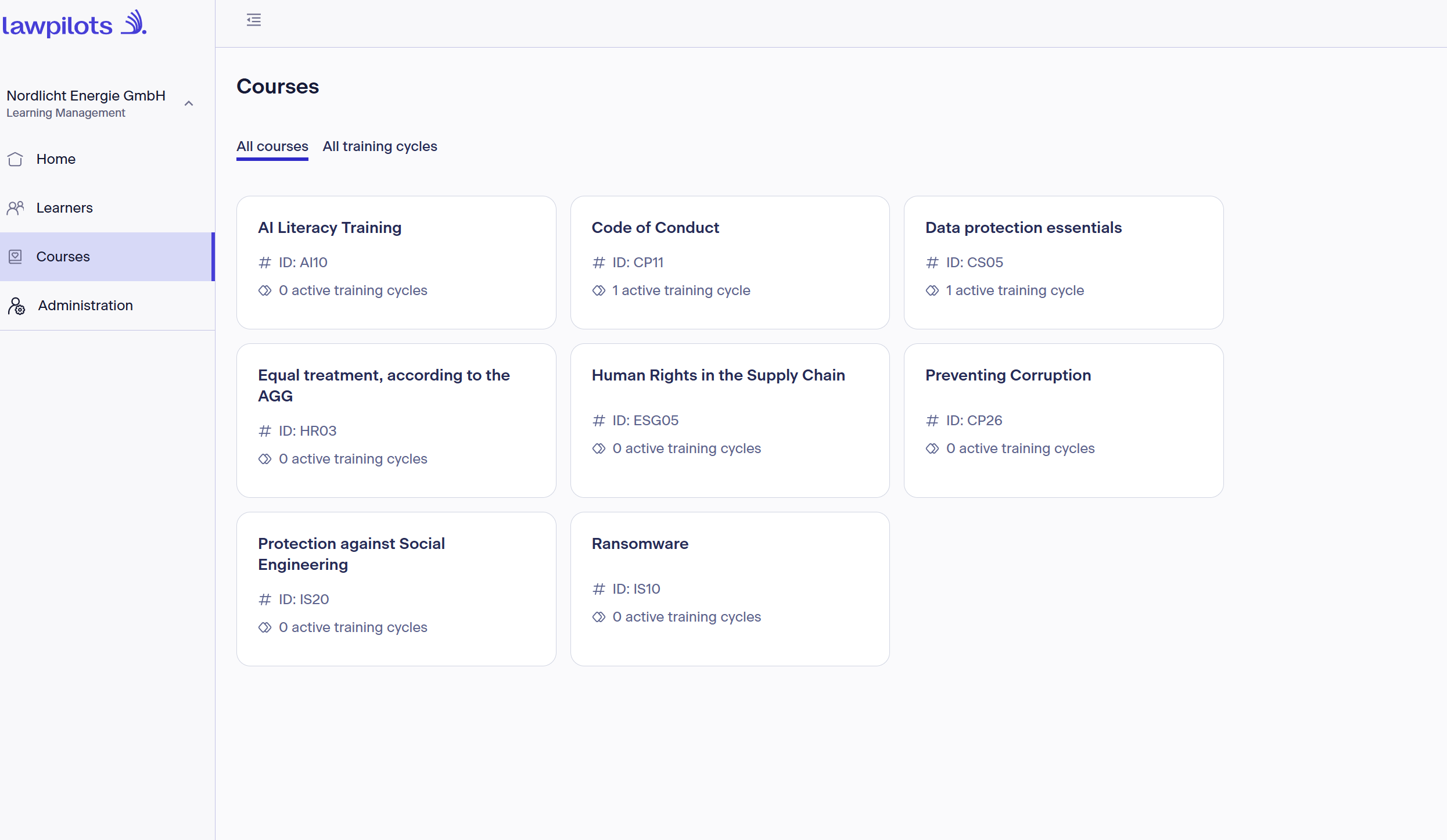
Each course has its own tile displaying the name of the course, the ID designation, and the number of actively configured training cycles for this course. Clicking on the desired tile will display the following information and options:
Overview of a specific course
Training Cycles
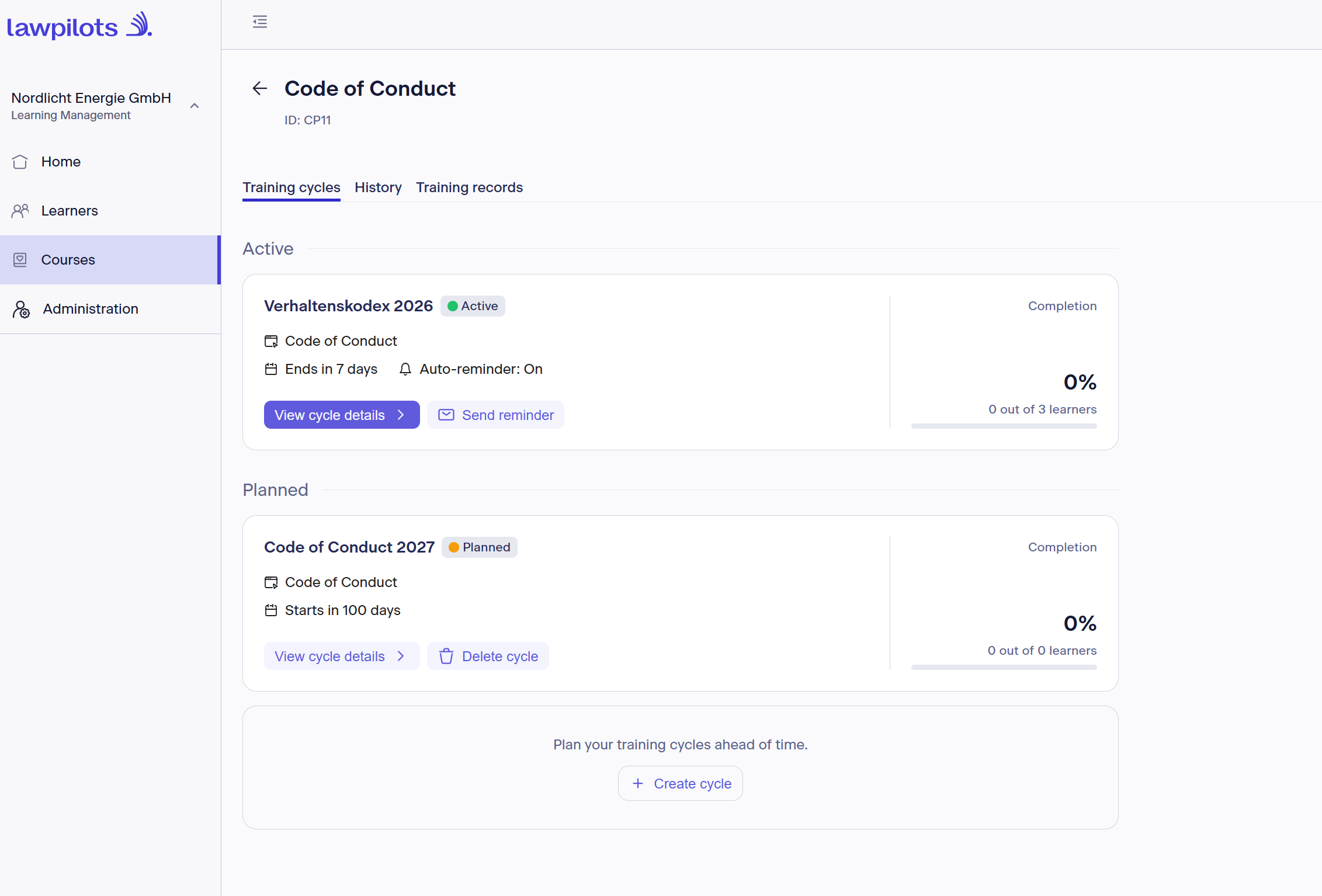
The training cycles you have created for this course are organized by:
- Active: All cycles in which courses are currently taking place or can take place
- Planned: Cycles that will start in the future
- Completed: Cycles that were conducted in the past and have already finished
- Inactive: Cycles associated with a previous subscription that is no longer active
Each tile contains the following information:
- The name you assigned to this cycle
- The status (Active, Planned, Completed, Inactive)
- The lawpilots course name
- End date or start date of this cycle
- For active courses: whether automatic reminders are turned on or off
- Completion rate (calculated based on learnes enrolled in the cycle)
- Option to view further details
- Option to send a manual reminder for active cycles (maximum 1 time per hour per cycle)
- For planned course cycles: the option to delete them completely
Detailed View of a Cycle
In the header, you will find information about your cycle name, the lawpilots course name, the status, and the time period. You can also trigger manual reminders from here.
The detailed view is divided into two tabs:
Learners
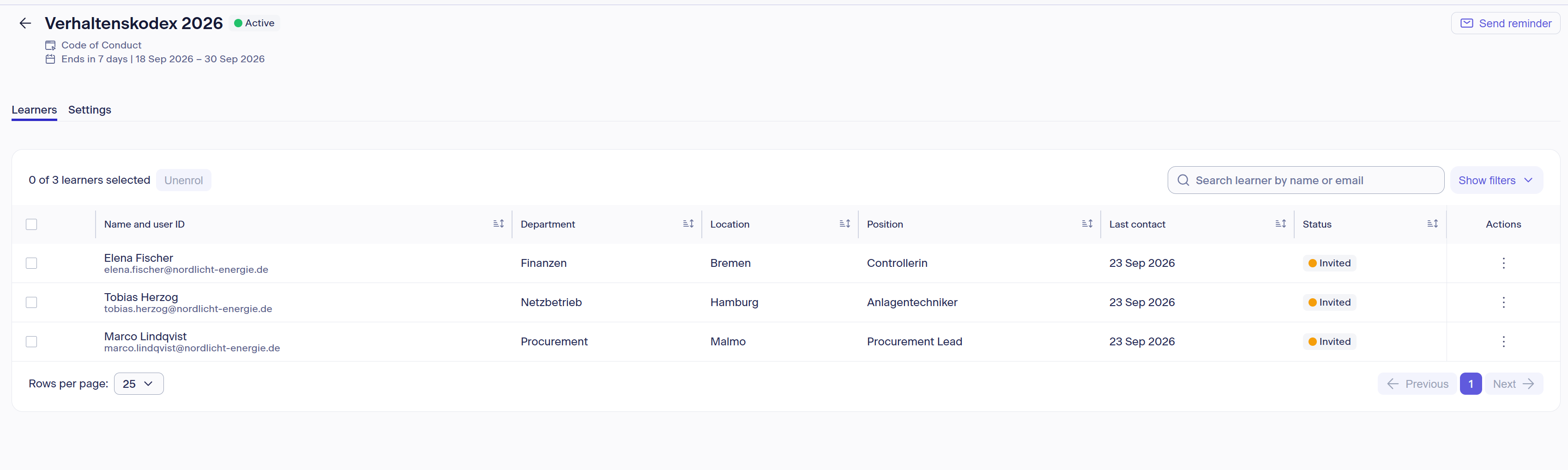
This includes all learners assigned to this cycle. Here, you have the option to search for individual participants, sort the display in ascending or descending order by column, or filter by specific criteria.
Furthermore, you can remove individuals from the cycle using the "Action" option on the right next to a specific person, or remove multiple people at once from a cycle by selecting them (checking the box).
Note: Enrolling new learners is not possible here—this is always done in the "Learners" section.
Settings
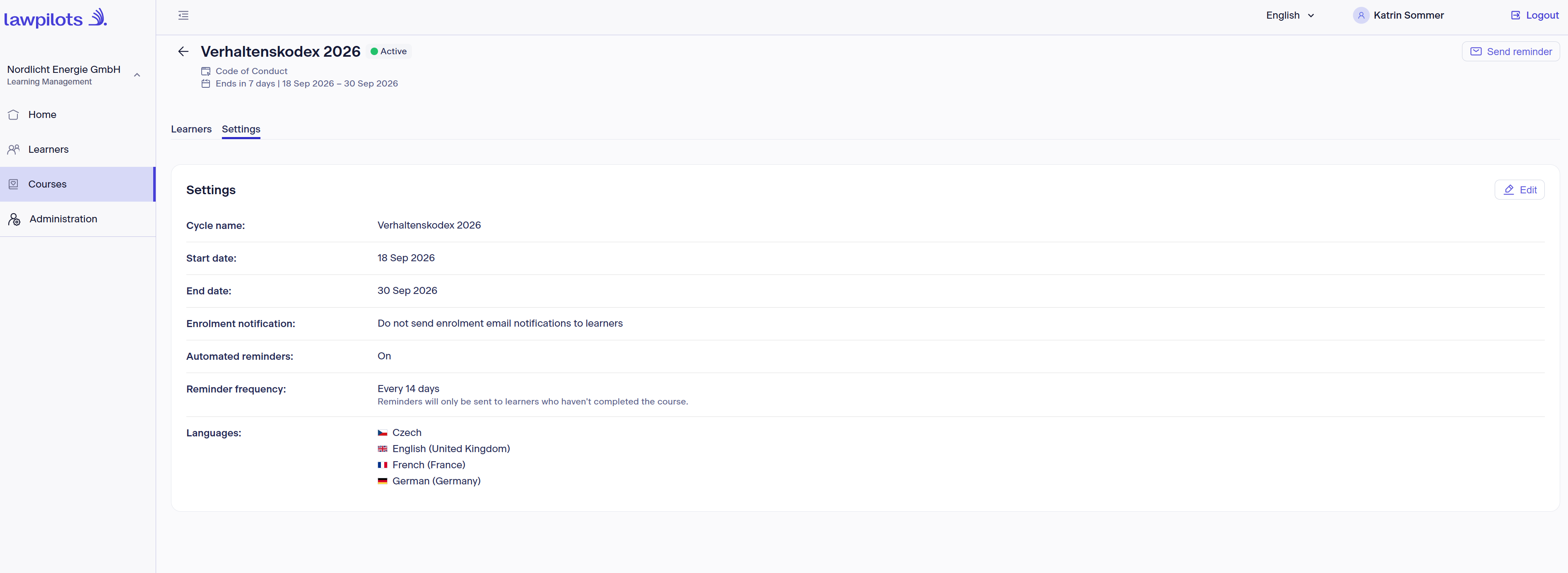
Here you will find an overview of how this course cycle is currently configured:
- The cycle name assigned by you
- Start date and end date
- Status of enrollment notifications
- Status of automatic reminders
- Reminder frequency
- Available languages
You can adjust these settings for your active and planned course cycles at any time. Note: For active course cycles, the start date can no longer be modified as it lies in the past. Completed and inactive course cycles cannot be edited.
Further information and instructions on creating or editing can be found here: Guide to setting up a training
History
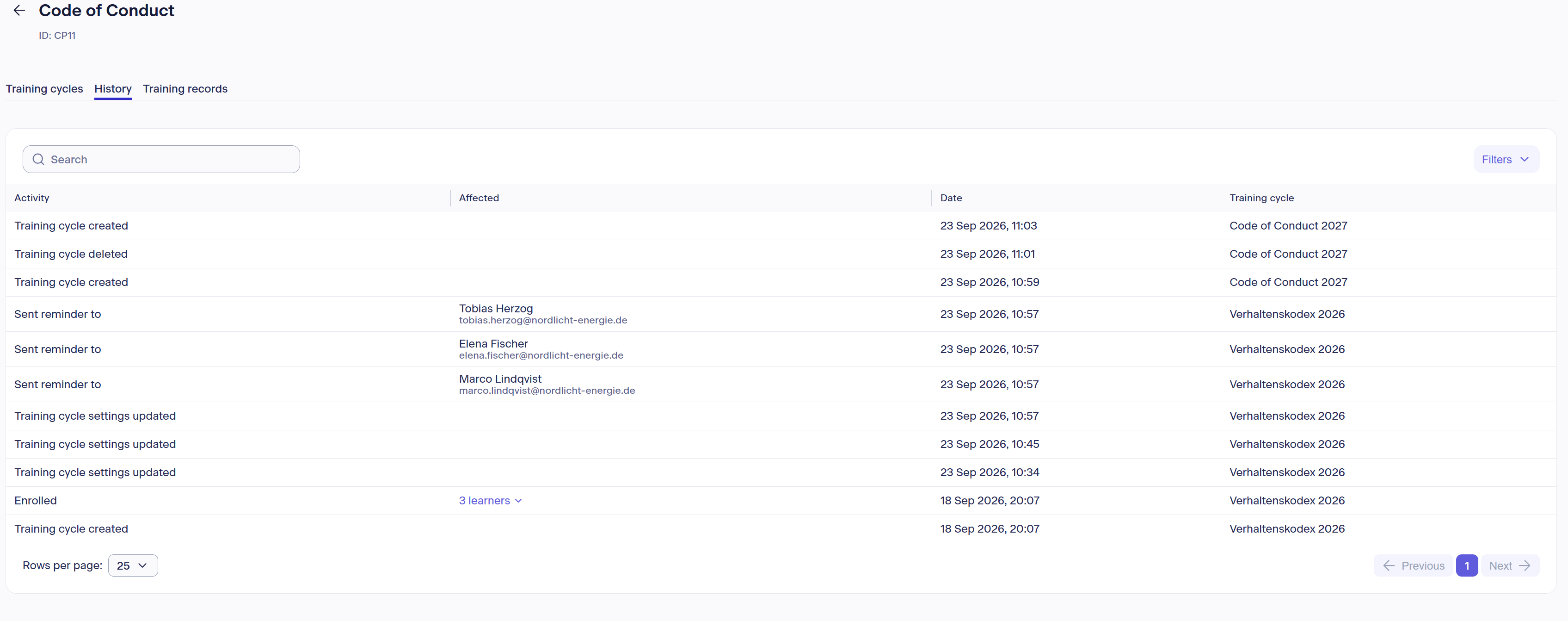
The history contains an overview of all activities within this course. You can track the creation of cycles, enrollments, sending of notifications, course completions, setting updates, archiving, etc.
Search and filter functions are also available here, allowing you to specifically filter for certain activities in a given training cycle.
Training records
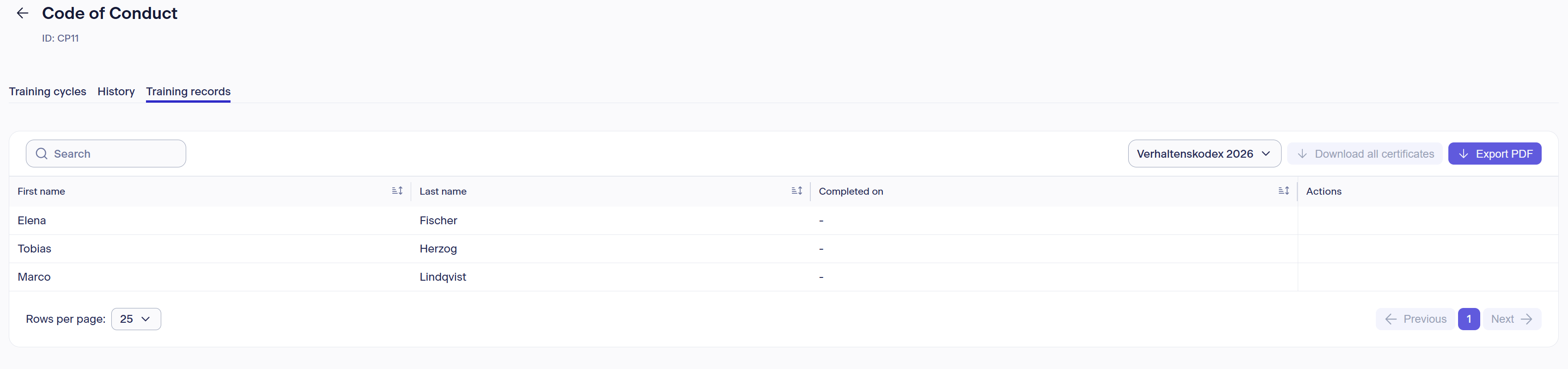
In this overview, you will see a list of all enrolled learners and the completion date once the course has been finished. Use the selection at the top right to change the view to the desired training cycle.
You then have the option to download individual learner certificates (via Action), export a PDF summarizing the learners and their completions for this training cycle, or download all certificates for this cycle at once as a batch.