
Unarchive Learners
Archived learners can be restored at any time. To do so, proceed as follows:
In the Learners area, select the Archive tab.
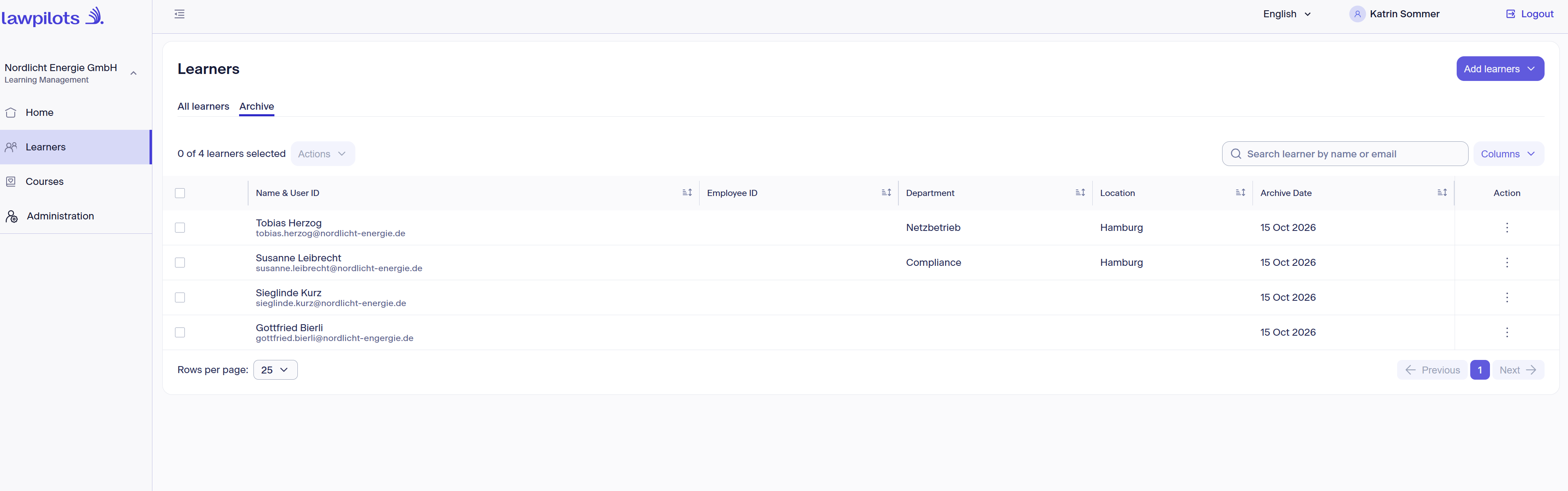
There you will find a list of all previously archived learners.
Here you can restore archived learners or download their training certificates.
What does archiving mean?
When a learner is archived, they no longer have access to LMS+ from the time of archiving and are removed from all assigned training cycles.
Training completions and certificates of archived learners remain preserved and can still be retrieved!
Archiving learners is intended to remove learners from LMS+. If you want to update master data of learners, please refer to the chapter Updating learners.
In this view, you can now:
- restore individual learners/download their certificates by selecting the desired action on the right side next to the person

- restore multiple or all learners/download their certificates by selecting the desired persons using the check box on the left and then choosing an action for all selected persons from the Actions menu at the top.
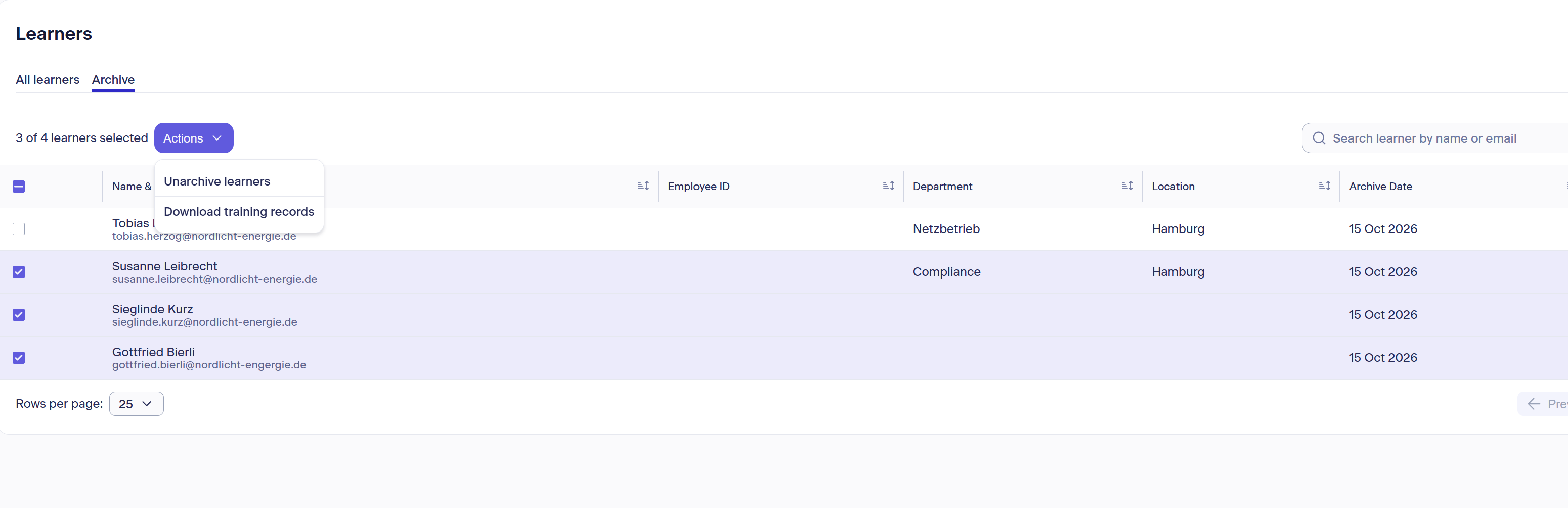
Restoring a learner also restores the learner's user account and access to it. Learners can then log in to LMS+ again.
You can find the restored learner again in the list of learners on the All learners tab.
Important: Restored learners must be re-enrolled to the training cycles they previously had not completed. They are not automatically re-enrolled.