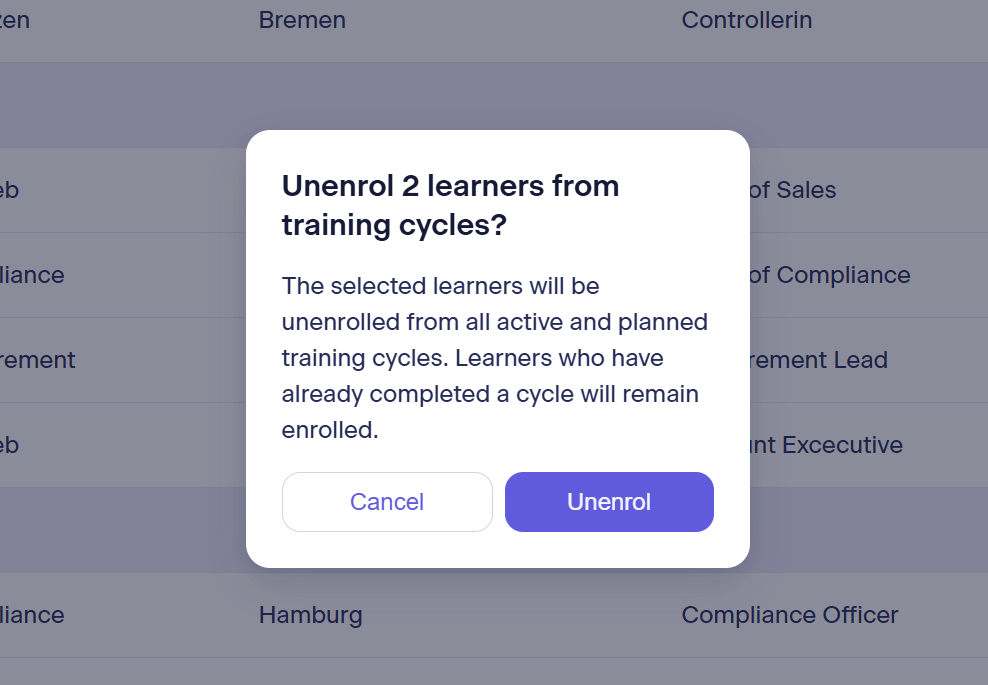
Unenroll learners
General notice: Only learners who have not yet completed the training cycle will be removed. Learners who have completed it will always remain in the training cycle for verification purposes!
Learners can also generally only be removed from active and planned training cycles; this is no longer possible for completed and inactive cycles.
Option 1: Remove learners from a specific training cycle only
This is done in the Courses area at the level of the individual training cycles.
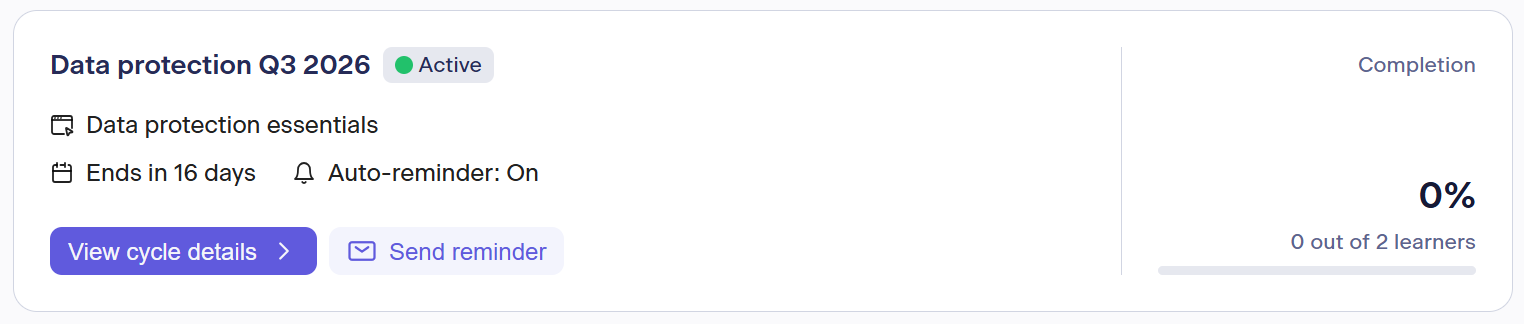
Select the desired training cycle and click View cycle details in its tile.
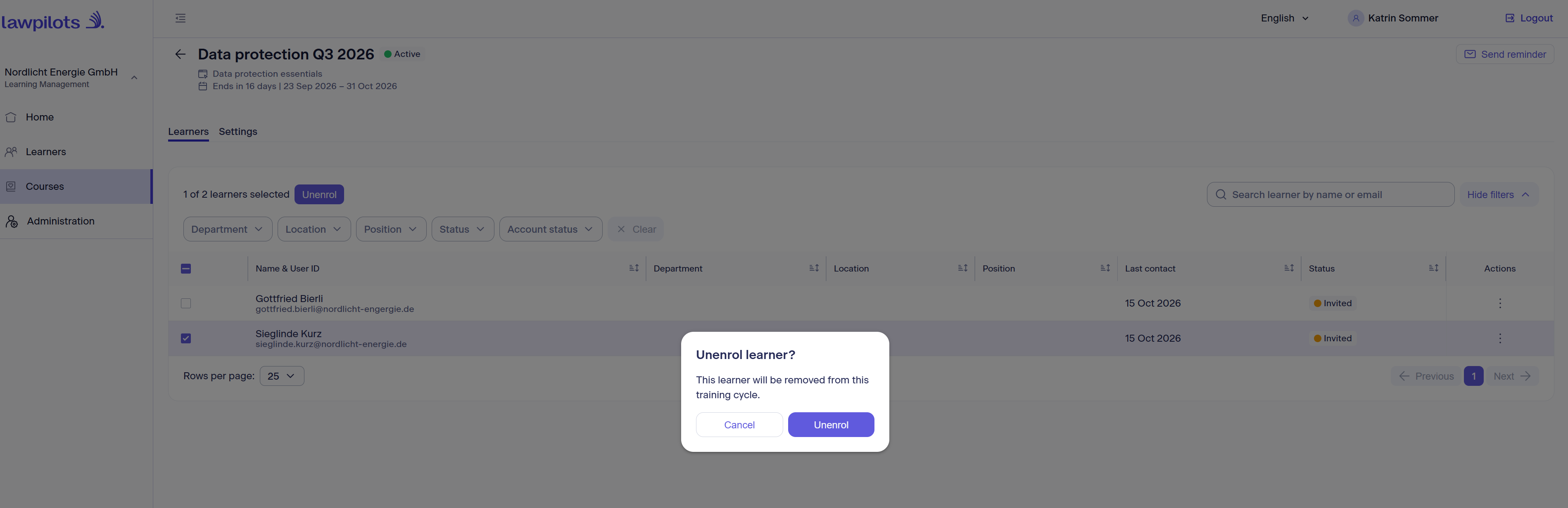
Directly in the first tab, Learners, you will now see an overview of all enrolled learners.
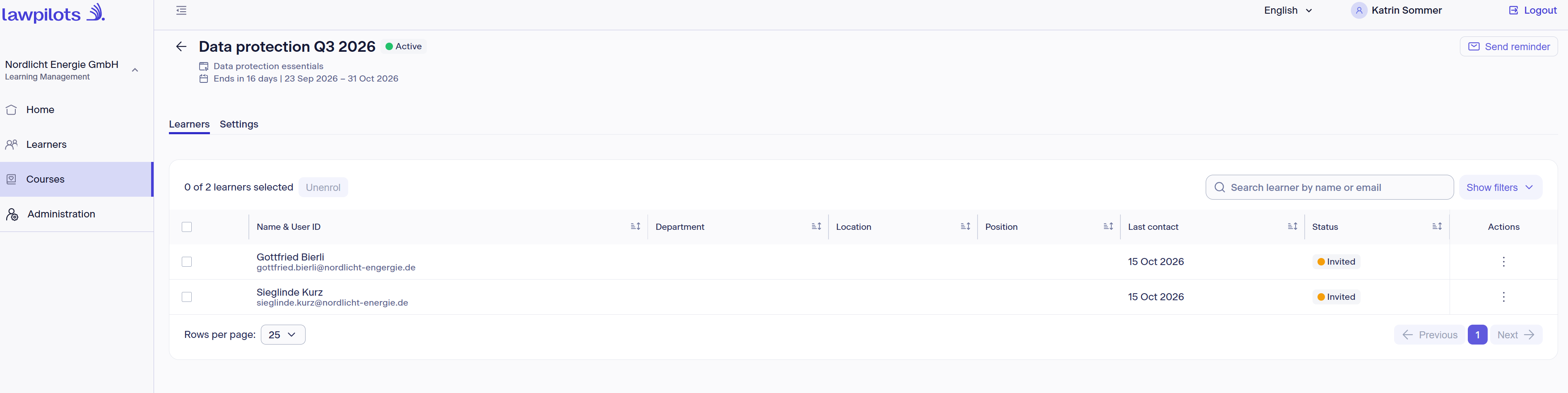
You can now remove one or more learners specifically from this cycle. To do so, select all learners to be removed using the check box. Sorting functions and filters are available to help you make your selection.
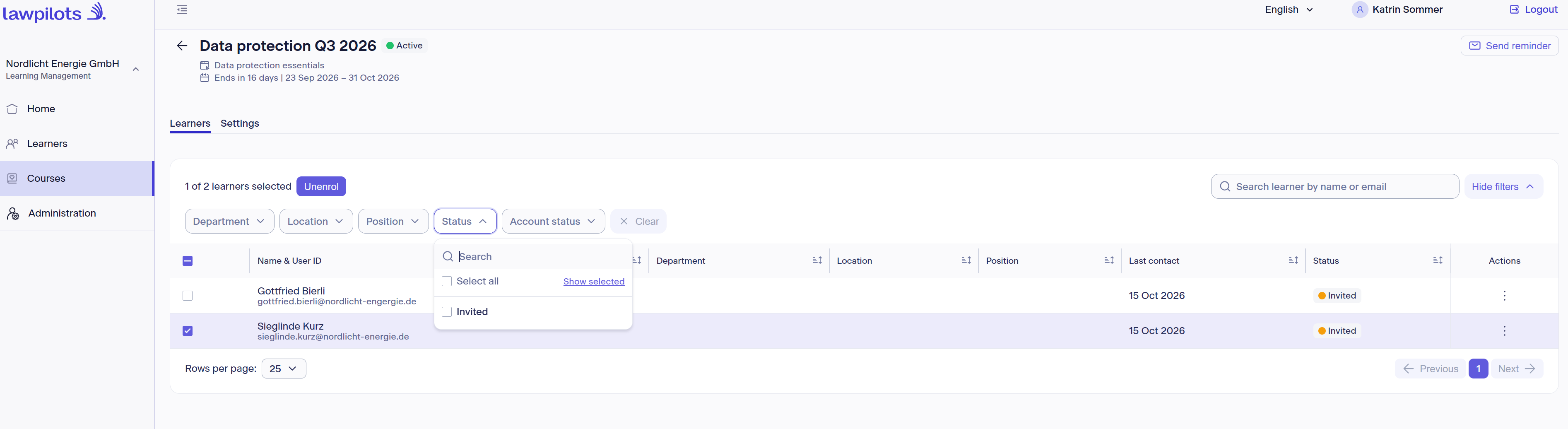
Once you have made your selection, click Unenrol and confirm the action in the prompt window:
Option 2: Remove learners from all training cycles for which they are enrolled
This is done in the Learners area.
Here you can remove individual, multiple, or all learners from all enrolled training cycles. To do so, select all learners to be removed using the check box. Sorting functions and filters are available to help you make a targeted selection:
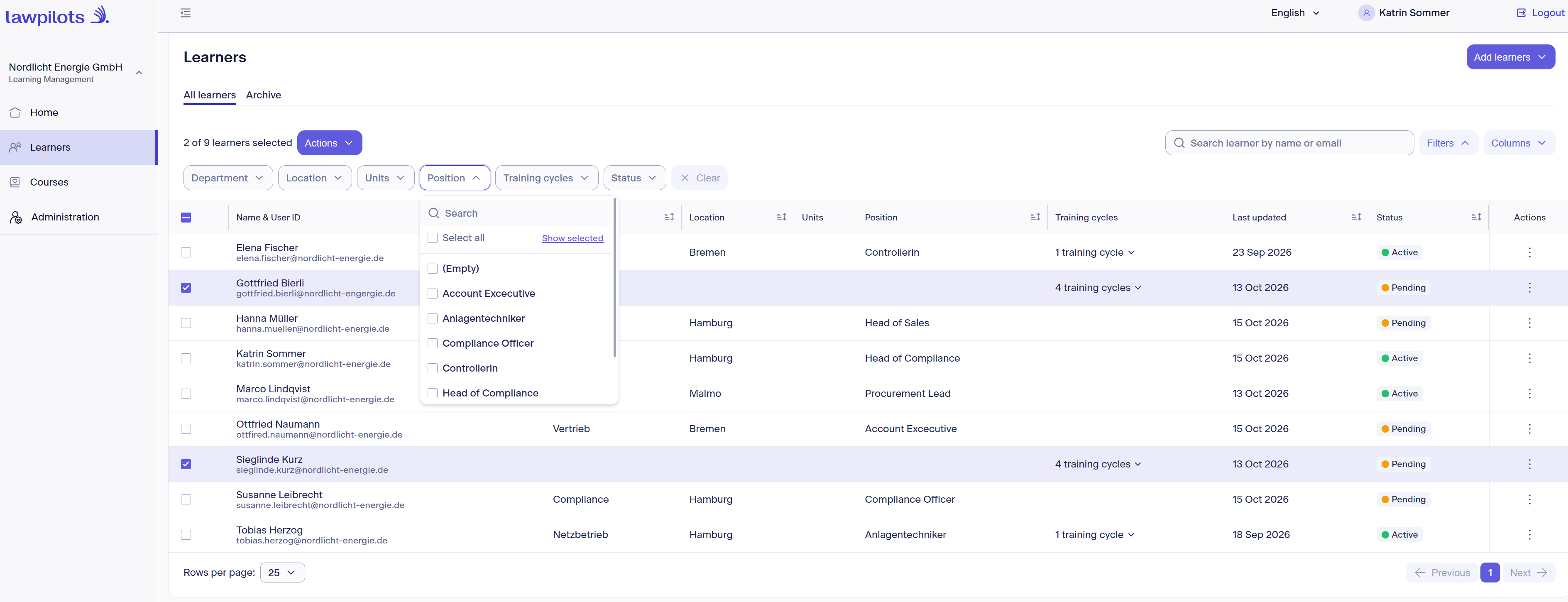
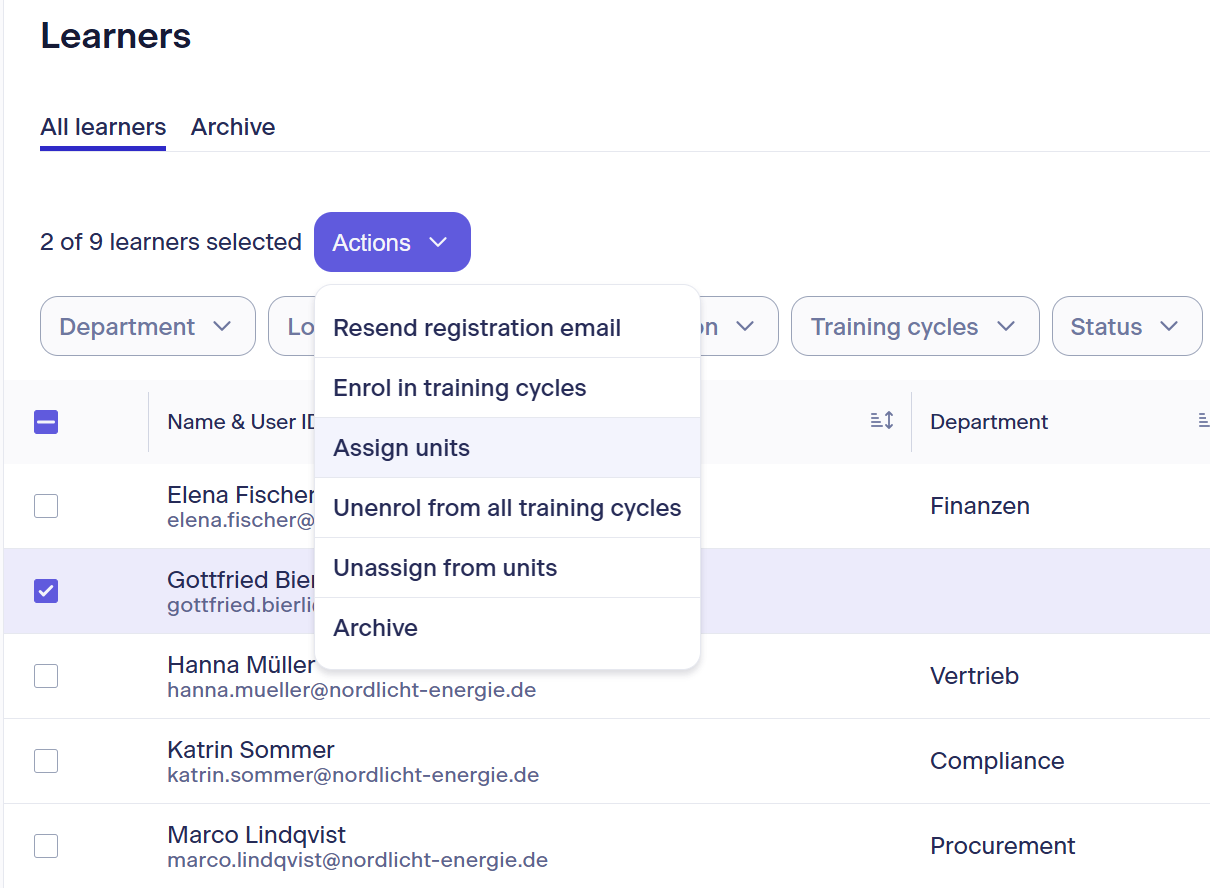
After selecting the learners, open the menu under Actions and select Unenrol from all training cycles.
Confirm the action in the following window by clicking Unenrol.